Get the App

Download B9 App – Your Complete Gaming Platform Right in Your Pocket

Whether you are on Android, iOS or just prefer your mobile browser, getting B9 App onto your device takes less than two minutes. Cricket betting, live casino, slots and bingo — all accessible in PKR, any time of day.

b9 app
Android & Mobile Browser
~25MB
Lightweight APK size
<2min
Average install time
PKR
All transactions in Rupees
Choose Your Method

Three Ways to Access B9 App

Pick whatever suits your device and connection — all three options give you the full B9 App experience

iOS / iPhone

iPhone and iPad users can access B9 App through the mobile browser as a Progressive Web App (PWA). Add it to your home screen for a native app-like experience without needing the App Store.

  • Add to Home Screen in Safari
  • Full-screen mode, no browser bar
  • Works on iOS 13 and above
  • No App Store approval needed
Register & Access

Mobile Browser

No download at all — just open b9app.win in Chrome, Firefox or any modern mobile browser and play instantly. The mobile site is fully responsive and loads quickly even on 4G connections common across Pakistan.

  • Zero storage used on your device
  • Always on the latest version
  • Works on any smartphone browser
  • Instant access, no setup
Open & Play
b9 app
Step by Step

How to Install the B9 App Android APK

Installing the B9 App APK on Android is straightforward but does require one small setting change first. Because the APK comes directly from B9 App's website rather than the Google Play Store, your phone needs to be told it is okay to install apps from this source. This is a standard step for any APK install and takes about ten seconds.

The process works the same way across Samsung, Vivo, Realme, Infinix, Tecno and other Android handsets that are popular across Pakistan. If you are on a budget Android running Android 6, 7 or 8, the steps are slightly different to Android 9 and above — both are covered below.

Once installed, the B9 App icon sits on your home screen exactly like any other app. It does not interfere with other apps and you can uninstall it any time through your phone's standard app management settings.

1
Register or Log In to Your B9 App Account

Before downloading the APK, make sure you have a B9 App account. Register for free if you have not already — all it takes is a mobile number and a PKR deposit method like JazzCash or Easypaisa to get started.

2
Find the APK Download Link in Your Account

Once logged in, navigate to the Download section inside your B9 App account area. The APK download link for your specific Android version will be shown there. Tap the link to begin the download — the file is approximately 25MB so it downloads quickly even on a standard 4G connection.

3
Allow Installation from Unknown Sources

On Android 9 and above, when you tap the downloaded APK file your phone will ask permission to install from this source. Tap "Settings" in the prompt, toggle on "Allow from this source" and go back. On older Android versions, go to Settings → Security → Unknown Sources and toggle it on before running the APK.

4
Run the APK and Complete Installation

Tap the downloaded APK file in your notification bar or file manager. The install prompt appears — tap Install and wait about fifteen to thirty seconds. Android will confirm when the installation is complete.

5
Open B9 App and Log In

Tap Open or find the B9 App icon on your home screen. Log in with your registered account details. Your PKR balance, bonuses and full game access are all right there. You are ready to place cricket bets, spin slots or join a live casino table.

b9 app
iPhone & Browser Users

Add B9 App to Your iPhone Home Screen

No App Store needed — Safari's Add to Home Screen gives you a full-screen app experience on iOS in under a minute

1
Open b9app.win in Safari

On your iPhone or iPad, open Safari and go to b9app.win. Make sure you are using Safari specifically — the Add to Home Screen feature works best in Safari on iOS rather than Chrome or Firefox on iPhone.

2
Tap the Share Icon at the Bottom

At the bottom of the Safari browser, tap the Share button — it looks like a box with an upward arrow. A menu slides up from the bottom of the screen showing various share and action options.

3
Select "Add to Home Screen"

Scroll down in the share menu until you see "Add to Home Screen." Tap it. You can rename the shortcut if you like — the default will be B9 App. Tap "Add" in the top right corner to confirm.

4
Launch from Your Home Screen

The B9 App icon now appears on your iPhone home screen. Tapping it opens the site in full-screen mode without the Safari address bar, giving you an experience very close to a native app. Log in and start playing.

Browser Compatibility
Browser Android iOS
Chrome Full support Limited PWA
Safari Not default Best for PWA
Firefox Works well Works well
Samsung Internet Full support N/A
UC Browser Works well Works well
Works on Pakistan Mobile Data

B9 App is optimised to load quickly on the 4G networks common across Pakistan — Jazz, Zong, Telenor and Ufone. The Android APK is the lightest option in terms of ongoing data use because game assets are cached locally after the first load.

If you are on a limited data bundle, the mobile browser version lets you play without downloading anything to your device — handy when storage space is tight on budget Android handsets.

Tech Specs

System Requirements

B9 App is designed to run well on mid-range and budget devices common across Pakistan

Android APK
Requirement Minimum
Android VersionAndroid 6.0 (Marshmallow) or above
RAM2 GB (3 GB recommended)
Storage50 MB free space
ProcessorQuad-core 1.4 GHz or better
Internet3G minimum, 4G recommended
Screen5 inch, 720p minimum
iOS / Mobile Browser
Requirement Minimum
iOS VersioniOS 13 or above
iPhone ModelsiPhone 6s and newer
BrowserSafari (recommended for PWA)
RAM2 GB (standard on supported devices)
Internet3G minimum, 4G recommended
StorageNo local storage required for browser
Why It Matters

Why Pakistani Players Prefer the App Over Desktop

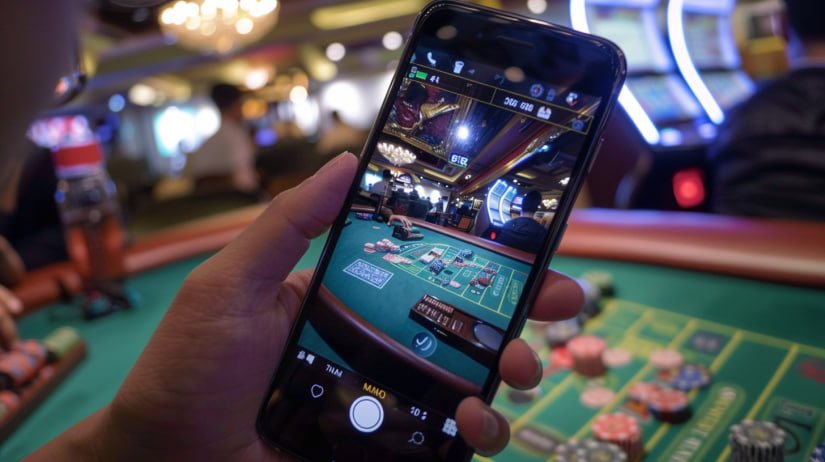
Pakistan is a mobile-first country. Most people here access the internet primarily through their smartphone — whether that is a mid-range Android from Vivo, Realme or Samsung, or an older but reliable handset running Android 8 or 9. The way people consume content, check cricket scores, transfer money through JazzCash or Easypaisa, and now play online casino games — it all happens on the phone, often while commuting, during a lunch break or in the evening at home.

B9 App was built with that reality in mind. The Android APK is lightweight — around 25MB — so it downloads fast even on a Zong or Telenor 4G connection without chewing through your data bundle. Once installed, the app caches game assets locally which means live casino tables and slot games load noticeably faster on repeat sessions compared to opening the site fresh in a browser every time.

The app also handles connection drops better. If your network briefly cuts out mid-session — something that happens on mobile data from time to time — the app reconnects automatically without losing your game state, whereas a browser session might require a manual refresh. For live cricket betting where a few seconds can matter during an over, that stability is genuinely useful.

There is also the convenience factor of push notifications. The B9 App Android version can notify you when a PSL match market goes live, when a promotional bonus is available or when a cricket result has settled your bet — without you needing to have the app open. For players who like to keep track of their bets and not miss a promotion, this is one of the more practical advantages over the browser version.

b9 app
App vs Browser – Quick Comparison
Feature APK Browser
Push Notifications
Faster Load
No Storage Needed
Auto Reconnect
Home Screen Icon (PWA)
Works on iOS
What You Get

Everything Inside the B9 App

Once installed, the full platform is available — nothing is locked to desktop only

Live Cricket Betting

PSL matches, T20 internationals, bilateral series — place bets before or during the match with live odds updated over by over.

Live Casino Tables

Real dealers, real tables — roulette, blackjack, baccarat and live game shows streamed in HD directly to your phone screen.

Slots & Game Lobby

Hundreds of slot titles from leading providers, all playable on mobile. Jackpot slots, classic fruit machines and feature-rich video slots.

Bingo Rooms

90-ball and 75-ball bingo rooms with community chat, jackpot prizes and bonus mini-games — fully playable on the B9 App mobile interface.

PKR Deposits & Withdrawals

Fund your account and withdraw winnings in Pakistani Rupees via JazzCash, Easypaisa, Raast, Bank Transfer and other supported mobile wallets.

Promotions & Bonuses

Welcome bonuses, reload offers, cricket-specific promotions and VIP rewards — all accessible and manageable directly through the app.

Push Notifications

Get notified when PSL markets go live, when a promotion drops or when a bet settles — without needing to keep the app open.

Secure Account Access

Your B9 App account is protected with encrypted login. Access your balance, transaction history and responsible gaming settings from the app.

Customer Support

Reach B9 App support directly through the app's help section. Live chat and email support are available to resolve any account or payment queries.

FAQ

Download Questions Answered

Yes. The B9 App APK is the official application file distributed directly from b9app.win. It does not contain malware or spyware. The reason Android asks for permission to install from "unknown sources" is simply because the file comes from outside the Google Play Store — this is standard for any APK not listed on Play Store and does not indicate anything unsafe about the file itself. Always download the APK only from the official B9 App website or your logged-in account area to ensure you have the genuine file.

Yes, provided your handset is running Android 6.0 or above and has at least 2 GB of RAM. Many budget and mid-range handsets from Vivo, Realme, Infinix and Tecno that are popular across Pakistan meet these requirements. If your phone runs Android 5 or below, the browser version on Chrome or UC Browser will still give you access to the full B9 App platform — just without the native app benefits like push notifications and faster cached loading.

Data usage depends on which games you play. Slot games and standard casino games are relatively light on data — a typical one-hour slot session uses roughly 30–60 MB. Live casino games use more because of the HD video stream from the dealer — expect around 150–250 MB per hour for live table games. Cricket betting and bingo use minimal data as they rely mainly on data feeds rather than video. The Android APK caches assets after first load, reducing data use on repeat sessions compared to opening the browser version fresh each time.

Yes. Your B9 App account is tied to your registration details, not to a specific device. You can log in on your Android phone via the APK, switch to a tablet via the browser or access your account from a desktop browser — all using the same credentials. Your PKR balance, transaction history and bonuses are all synced across devices in real time. Just make sure you are not running active game sessions on two devices simultaneously as this can cause session conflicts on some game types.

Since B9 App is not on the Google Play Store, updates do not happen automatically. When a new APK version is released, you will typically receive a notification inside the app or a prompt when you open it. You can also check the Download section of your account area at any time. Updating is simple — download the new APK and run it over the existing installation. Your account data, balance and preferences are all preserved; only the app itself is updated.

Yes. While B9 App is optimised for mobile play, the full platform is accessible through any desktop or laptop browser by visiting b9app.win. No installation is required on desktop — just open the site in Chrome, Firefox or Edge and log in. The desktop experience offers the same full game library, PKR payment options and account management features as the mobile version. Some players prefer the larger screen for live casino tables or watching cricket matches while placing bets.

Ready to Get B9 App on Your Phone?

Create your free account, grab the Android APK or open the mobile browser version and start playing in PKR today — cricket betting, slots, live casino and bingo all in one place.